
Blog
Link in Bio for Creators: How to Grow, Sell, and Build Your Brand


A link in bio for creators is more than a page filled with social media buttons. It is a focused landing page that helps your audience discover your content, buy your products, join your community, book your services, or contact you for a brand collaboration.
Creators often build audiences across Instagram, TikTok, YouTube, podcasts, newsletters, and online stores. Each platform is useful, but your audience needs one clear destination where they can find your most important work. A well-planned creator link in bio brings those destinations together without making visitors search through several profiles.
This guide explains how to create a link in bio for creators, what to include on the page, how to use it to grow and monetize your audience, and how to improve it using analytics. You will also see practical link in bio ideas for influencers, content creators, freelancers, educators, musicians, and visual artists.
Quick answer: Choose one primary goal, write a clear creator bio, feature your most important link first, organize supporting links by priority, test the page on mobile, and review link clicks and other available analytics. With Bambl, you can combine a creator link in bio, digital business card, social links, media, products, contact saving, QR sharing, and supported analytics in one profile.
What Is a Link in Bio for Creators?
A link in bio is a shareable webpage connected to the bio section of a social media profile. Platforms such as Instagram and TikTok give users limited space for external links, so creators use one memorable URL to connect followers with several destinations.
A creator link in bio can include a latest video, podcast, portfolio, online store, affiliate links, newsletter, media kit, brand inquiry form, booking calendar, or digital product. The best pages do not simply list everything a creator has published. They guide visitors toward the most useful next step.
Your link in bio should answer three questions quickly:
- Who are you?
- What do you create or offer?
- What should a visitor do next?
Why Creators Need More Than a Social Media Profile
Social platforms are excellent for discovery, but creators do not fully control their layout, algorithms, reach, or audience relationship. A social profile can help people find you, while a link in bio page gives you a more organized destination for your content and offers.
One profile can connect a short TikTok video to a longer YouTube tutorial, a product page, a newsletter, or a booking link. It can also make it easier for a brand manager or potential client to understand your work without opening several separate accounts.
A link in bio does not replace a full website in every situation. Instead, it works as a focused bridge between social discovery and the action you want visitors to take.
What Should You Include on a Creator Link in Bio Page?
A recognizable profile header
Start with your name, creator name, profile photo or logo, and a short description. Explain your topic or audience instead of using a vague label such as “content creator.” For example, “I help new freelancers find better clients through practical design and marketing advice” gives visitors more context.
Your primary call to action
Choose the one action that matters most right now. It could be watching your latest video, buying a digital product, joining your newsletter, booking a consultation, or requesting a collaboration.
Place that action near the top of the page. Button text should describe the result, such as “Watch my latest tutorial,” “Download the creator media kit,” or “Shop my digital templates.” Avoid vague labels such as “Click here” or “My links.”
Your latest or most important content
Give returning followers a reason to visit again. Feature a new video, podcast episode, article, campaign, livestream, or project. Move time-sensitive content lower or remove it when the campaign ends so your page does not look abandoned.
Products and monetization links
Creators may earn through digital products, memberships, courses, coaching, affiliate partnerships, merchandise, paid communities, or sponsored campaigns. Add only the offers that are relevant to your audience and explain what visitors receive after clicking.
Professional contact options
Make it easy for brands, clients, and collaborators to contact you. Include a professional email, media kit, inquiry form, booking page, or services page. Keep business inquiries separate from personal social links when possible.
A media kit or portfolio
A media kit can include your content topics, audience profile, platforms, past collaborations, services, contact details, and examples of your work. A portfolio is especially useful for designers, photographers, writers, developers, editors, and creative freelancers.
9 Link in Bio Ideas for Creators
1. Feature your latest content
Place your newest video, podcast, article, or campaign near the top. Use a descriptive label that explains why the visitor should open it. Update it regularly so your link in bio remains connected to your current content calendar.
2. Sell digital products
A creator link in bio can guide followers to templates, presets, ebooks, courses, audio files, printables, or other digital products. Add a short benefit-focused description and send visitors to a mobile-friendly checkout page.
3. Grow an email list
Social reach can change, but an email list gives you a direct channel to people who want to hear from you. Offer a useful resource, newsletter, checklist, or launch update and explain what subscribers can expect.
Brands often need a quick way to review your work and decide whether you are relevant for a campaign. A visible media kit link can reduce unnecessary messages and make your collaboration process more professional.
5. Make brand collaborations easier
Create a dedicated “Work with me” or “Brand inquiries” button. Include your topics, services, preferred contact method, and any important collaboration details. A short form can help you collect the information you need before replying.
Do not assume every follower uses the same platform. Add your most important channels, but keep the list focused. If one channel is your primary community, place it higher and explain what visitors will find there.
Creators can use a link in bio to guide followers to Discord, Telegram, a private community, a newsletter, or another owned audience channel. Explain the benefit of joining rather than simply naming the platform.
Coaches, educators, consultants, photographers, and freelancers can connect their link in bio to a booking calendar. State who the service is for and what happens after someone books.
9. Track engagement and improve the page
Review available profile views, link clicks, contact saves, product visits, or lead submissions. If visitors open the page but do not click, improve the introduction, button labels, link order, or primary offer.
Link in Bio Ideas for Different Types of Creators
Instagram creators
Instagram creators can feature a latest Reel, product collection, affiliate disclosure, newsletter, media kit, and business inquiry form. Use a clear first button for the current campaign or offer instead of treating every destination equally.
TikTok creators
TikTok traffic can be fast-moving and mobile-first. Keep the page lightweight and make the first action obvious. Link to longer videos, products, live schedules, community pages, or a creator portfolio.
YouTube creators
YouTube creators may use their link in bio for a latest video, channel, sponsorship information, merchandise store, newsletter, podcast, or downloadable resource. A short explanation can help visitors understand which link to choose.
Podcasters and musicians
Podcasters and musicians can connect Spotify, Apple Podcasts, YouTube, tour dates, merchandise, booking information, and the latest release. Keep the current episode or release visible while preserving an easy way to contact you.
Educators and coaches
Educators and coaches can use a link in bio to share free resources, programs, consultations, testimonials, courses, and newsletters. A clear audience statement helps visitors decide whether the offer is relevant to them.
Photographers, designers, and artists
Visual creators should prioritize a fast portfolio, selected work, commissions, shop, exhibitions, or booking link. High-quality images matter, but large files and unnecessary animations can slow down the mobile experience.
How to Create a Link in Bio for Creators
Step 1: Choose one primary goal
Decide what you want most visitors to do. A product launch, newsletter campaign, booking offer, and media kit may all be important, but one should lead the page.
Step 2: Write a clear creator bio
Describe what you create, who it helps, and what visitors can find on the page. Keep the language specific and avoid filling the first screen with generic titles.
Step 3: Add your most valuable links
Start with your primary call to action. Then add supporting links such as latest content, products, portfolio, newsletter, social channels, and business contact.
Step 4: Organize the page by visitor intent
Group links logically. For example, place content first, products second, and professional contact options third. Use short descriptions where a visitor may need more context.
Step 5: Test the page on mobile
Open the page on several phones and test it with mobile data. Check loading speed, button size, contrast, image cropping, embedded media, checkout links, and contact forms.
Step 6: Update the page regularly
Remove expired campaigns, replace old featured content, check every external link, and keep your contact information current. A link in bio should reflect what you are doing now, not what you promoted months ago.
How Bambl Helps Creators Build a Better Link in Bio
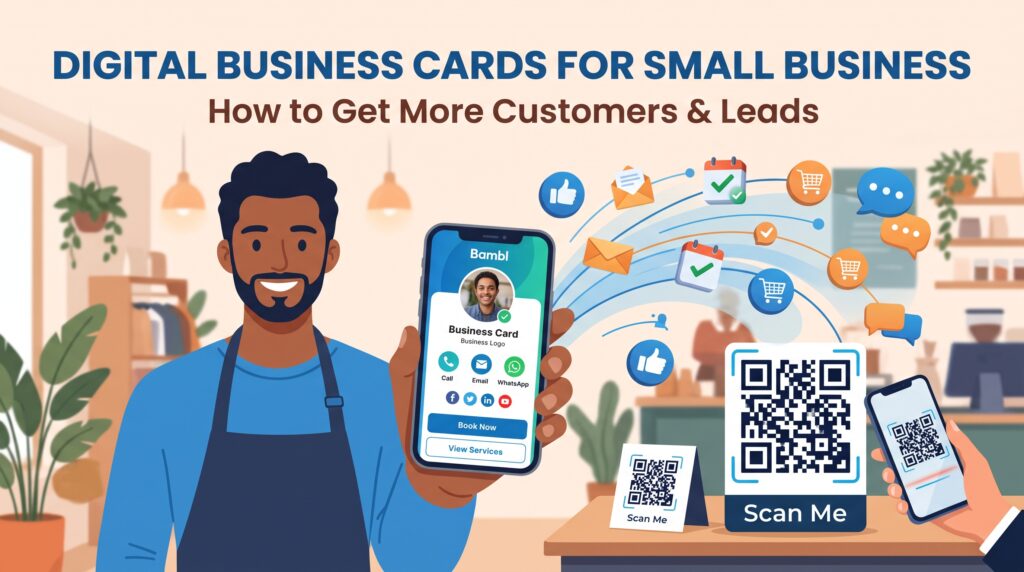
Bambl combines a creator link in bio with a professional digital business card. You can bring your social profiles, portfolio, videos, products, booking links, contact details, and business destinations into one mobile-friendly profile.
Creators can use Bambl to present YouTube or Spotify content, highlight digital products, display visual work, share a media kit, and make professional inquiries easier. Depending on the plan and supported features, you can also use contact saving, lead capture, link engagement, profile traffic insights, and dynamic QR code sharing.
This combination is useful when your audience finds you online but you also network in person. Share your profile from your Instagram or TikTok bio, then use the same profile at an event, in an email signature, on a presentation, or during a video meeting.
If you also want to connect your creator profile with offline networking, read our guide to a digital business card for networking events. For a deeper look at measuring visitor behavior, see our article about digital business card analytics.
Link in Bio vs. a Full Website
A link in bio is usually faster to update and easier to use as a social profile destination. A full website may provide more space for long-form information, search visibility, blog content, legal pages, detailed services, and structured navigation.
Many creators use both. The link in bio acts as a focused mobile hub, while the website provides deeper information. Link to your website from the creator profile when visitors need more context about your work.
Common Link in Bio Mistakes Creators Should Avoid
- Adding every link without choosing a primary goal
- Using a vague creator bio that does not explain your topic
- Leaving expired campaigns or broken links active
- Hiding the media kit or business inquiry option
- Using vague button labels such as “Click here”
- Ignoring mobile loading speed and accessibility
- Publishing affiliate or sponsored links without the required disclosures
- Failing to test product, booking, and contact links
- Never reviewing available analytics
Frequently Asked Questions
What is the best link in bio for creators?
The best link in bio tool depends on your goals. Look for mobile design, customization, analytics, product links, media support, contact saving, lead capture, and reliable link management. Choose a tool that supports both audience growth and professional opportunities.
How many links should a creator add?
There is no universal number. Add the links that support your current audience journey and remove destinations that are outdated or rarely useful. A focused page is usually easier to navigate than a long list of equal-priority buttons.
Can creators sell products through a link in bio?
Yes. A creator can link to digital products, merchandise, courses, memberships, affiliate pages, or an online store. The checkout experience should be mobile-friendly, and sponsored or affiliate relationships should be disclosed where required.
Can a link in bio help creators get brand deals?
It can make brand collaboration easier by giving potential partners access to your media kit, portfolio, audience information, services, and contact form. It does not guarantee brand deals, but it creates a clearer professional path for inquiries.
How can creators track link clicks?
Use a link in bio platform or analytics setup that reports supported engagement metrics. Depending on the platform and plan, you may be able to review profile visits, link clicks, contact saves, product activity, traffic sources, or lead submissions.
Final Thoughts
A link in bio for creators should do more than collect URLs. It should introduce your work, guide visitors toward a useful action, support your income, and make it easier for brands, clients, and followers to continue the relationship.
Start with one clear goal, feature your best content, organize links by priority, keep your page updated, and review available engagement data. With Bambl, you can connect a creator link in bio, digital business card, portfolio, products, media, contact saving, QR sharing, and supported analytics in one profile.
Create your Bambl creator link in bio and turn your social audience into clearer opportunities.