

Blog
Digital Business Card for Small Business: How to Get More Customers and Leads


A digital business card for small business is more than an online version of a traditional paper card. It gives customers and professional contacts one simple place to find your business name, contact details, website, services, social profiles, booking link, portfolio, and other important information.
For a small business, every introduction can lead to a new customer, referral, partnership, or sale. The problem is that paper business cards are easy to lose, difficult to update, and limited in the amount of information they can display. A digital business card solves these problems by connecting your offline networking with your online presence.
In this guide, you will learn how small business owners can use a digital business card, QR code, smart links, contact saving, and lead capture to create better customer journeys and generate more opportunities.
What is a digital business card for small business?
A digital business card is a mobile-friendly professional profile that customers can open through a link or QR code. It can contain your business name, logo, phone number, email address, website, location, opening hours, services, social media accounts, portfolio, booking page, online store, and contact form.
Instead of printing a new card every time your phone number, service list, or website changes, you can update your online profile. The same shareable link continues to lead people to the latest version of your business information.
With a platform such as Bambl, a small business can combine a digital business card with a smart link-in-bio profile. This makes it possible to share contact information and important business links from one professional page. If you are new to the format, our guide explains how to create a digital business card step by step.
Why small businesses need a digital business card
Keep your information current
Small businesses often change phone numbers, websites, services, prices, locations, or booking systems. A printed business card becomes outdated as soon as one of these details changes. A digital card can be edited without reprinting or redistributing your materials.
Make it easier to contact you
Potential customers do not always want to copy information manually. If they can tap a phone button, open WhatsApp, send an email, or save your contact in one step, there is less friction between meeting your business and starting a conversation.
A small business usually has several important destinations. Customers may need to see your services, read reviews, view your portfolio, book an appointment, visit your store, or ask for a quote. A digital business card can organize these actions on one mobile-friendly page.
Connect offline and online marketing
A QR code printed on a brochure, sign, menu, product package, or traditional business card can take people directly to your digital profile. For a more detailed explanation of how these codes work, see our QR code business card guide. This connects physical marketing materials with your website, social content, lead form, or booking process.
How a digital business card helps generate leads
A lead is a person who shows interest in your business and may become a customer. A digital business card can support lead generation by giving visitors a clear next action instead of only displaying contact information.
For example, a consultant can add a “Book a consultation” button. A photographer can add “Request a quote.” A salon can add an appointment link. A local service provider can add a form for estimates. A creator can link to products, sponsorship information, or a newsletter.
The most important principle is to choose one primary call to action. If every button has the same visual importance, visitors may not know what to do. Place the action that matters most near the top of the profile, then add supporting links below it.
Use a clear call to action
Strong calls to action describe the next step clearly:
- Book an appointment
- Request a quote
- Save my contact
- View our services
- Visit our online store
- See our latest projects
- Send us a message
Capture contact details responsibly
If you use a lead form, ask only for information that you genuinely need. A name, email address, and short message may be enough for an initial inquiry. Explain how the information will be used and follow the privacy requirements that apply to your customers and location.
Measure engagement
Analytics can help you understand which links receive attention. If people open your profile but do not click the booking button, you may need to change the button wording, position, or offer. Analytics do not guarantee sales, but they can reveal where visitors stop taking action.
How to use a QR code to attract customers
A QR code makes your digital business card easy to access from printed and digital materials. Customers can scan it with a phone camera and open your profile without typing a long URL.
Small businesses can place a QR code on:
- Printed business cards
- Store windows and counters
- Menus and product packaging
- Invoices and receipts
- Brochures and flyers
- Event banners and booth displays
- Presentation slides
- Video meeting backgrounds
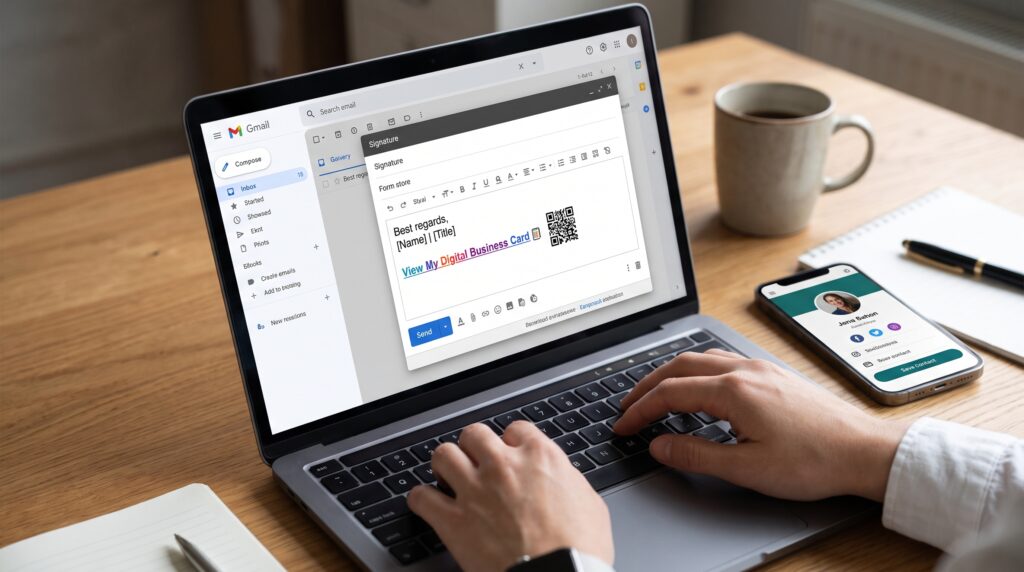
- Email signatures
Add a short instruction beside the code, such as “Scan to book,” “Scan to save our contact,” or “Scan to view our services.” A QR code without context may be ignored because people do not know what will happen after scanning.
Before printing, test the code on different phones, in different lighting conditions, and at the distance where customers will see it. If you use a dynamic QR code, you can update the destination profile without replacing every printed code.
What should a small business include?
A useful digital business card should be complete but not crowded. Start with the information customers need to identify and contact your business.
Business identity
- Business name and logo
- Owner or primary contact name
- Professional title or service category
- Short description of what you offer
- Service area or physical location
Contact options
- Phone number
- Email address
- WhatsApp or preferred messaging channel
- Website
- Opening hours when relevant
Conversion links
- Appointment or booking page
- Quote request form
- Services and pricing page
- Portfolio or case studies
- Online store
- Customer review page
Do not publish private information that you do not want to make public. Review every link regularly and remove expired campaigns, broken pages, and outdated offers.
How to create a digital business card for your small business
Step 1: Define your main goal
Decide what you want customers to do after opening your card. Your goal may be to receive calls, generate quote requests, book appointments, sell products, or grow your professional network.
Step 2: Build your profile
Add your business name, logo, short description, contact details, and professional image. Make sure the first screen clearly explains who you are and what you offer.
Step 3: Add your most important links
Add your primary action first. Then include supporting links such as your website, portfolio, social profiles, services, store, or booking page. Avoid adding links that do not support the customer journey.
Step 4: Create and test your QR code
Generate a QR code connected to your profile. Scan it with more than one device and test every action after the page opens. Confirm that the phone number, email address, links, and contact-saving feature work correctly.
Add your digital business card link to your email signature, social media bio, proposals, invoices, presentations, and printed materials. Consistent sharing helps customers know where to find your latest information.
Digital business card examples for small businesses
A real estate agent can use a digital card to share contact details, current listings, property videos, appointment booking, and a mortgage partner link.
A photographer can display a portfolio, packages, testimonials, Instagram profile, availability calendar, and inquiry form.
A beauty professional can include services, prices, location, booking link, social media gallery, and a customer review page.
A consultant can feature case studies, a calendar, lead form, newsletter, LinkedIn profile, and a short explanation of their process.
A café or local store can share its location, opening hours, menu, ordering page, social media, loyalty program, and customer feedback link.
How Bambl helps small businesses
Bambl combines a digital business card with a smart link-in-bio profile. This gives a small business one place to share contact details, social profiles, portfolio links, media, products, booking pages, and lead forms. The same approach can also support creators and brands that want to organize multiple destinations through a link in bio profile.
You can share the profile using a memorable link or dynamic QR code. If your phone number, service list, or website changes, update the profile instead of reprinting every business card and brochure.
Bambl can also help businesses organize contact-saving, lead capture, and profile engagement in one workflow. Features and limits may depend on the selected plan, so review the current plan details before choosing the setup for your business.
Create your Bambl digital business card and give every customer a clear way to contact your business, explore your services, or take the next step.
Common mistakes to avoid
- Using a profile with no clear primary action
- Adding too many unrelated links
- Publishing outdated phone numbers or offers
- Using a QR code without telling people what it does
- Failing to test the profile on mobile devices
- Collecting customer data without explaining its use
- Forgetting to connect the profile to your real business website
Frequently asked questions
Is a digital business card worth it for a small business?
It can be valuable when your business depends on referrals, local networking, appointments, inquiries, or repeat contact. It gives customers a current profile and makes it easier to take action after meeting you.
Can I use a QR code on a traditional business card?
Yes. A printed card can include a QR code that opens your digital profile. Add a clear instruction and test the code before printing.
Does a digital business card replace a website?
No. It can complement your website by creating a simple mobile entry point. Your profile can link visitors to detailed service pages, online stores, booking tools, and other parts of your website.
Can I update the card later?
With an online digital business card, you can update your profile information and links. A dynamic QR code can continue pointing to the updated profile without needing to be reprinted.
Final thoughts
A digital business card for small business can turn a simple introduction into a more useful customer journey. Instead of sharing only a name and phone number, you can give people a clear path to your services, portfolio, booking page, store, and contact form.
Start with one goal, one primary call to action, and the links your customers actually need. Then test the profile, share it through a QR code and your online channels, and improve it based on real engagement.
With Bambl, you can combine your digital business card, QR code, smart links, contact saving, and lead-generation tools in one professional profile. You can also compare the main selection criteria in our guide to the best digital business card for professionals.




One thought on “Digital Business Card for Small Business: How to Get More Customers and Leads”