
Blog
Why Every Professional Needs a Digital Business Card in 2025


Why Every Professional Needs a Digital Business Card in 2025
The best digital business card for professionals in 2025 is not simply a digital copy of a printed card. It is a fast, mobile-friendly destination where people can understand who you are, save your contact details, visit your most important links, and take the next step—all from one shareable URL or QR code.
That matters because professional networking no longer happens in one place. A first connection might begin at a conference, continue through LinkedIn, move to email, and end with a booking link, portfolio, online store, or WhatsApp conversation. A paper card cannot adapt to that journey. A well-built digital business card can.
Whether you are a freelancer, consultant, founder, salesperson, recruiter, creator, real estate professional, student, or small-business owner, a digital business card gives you a practical way to manage your professional identity. It keeps your information current, makes it easier for other people to contact you, and creates a better bridge between in-person networking and your online presence.
Bambl combines a digital business card with a smart link-in-bio page. That means you can share your contact information professionally while also presenting your portfolio, social profiles, videos, music, products, booking links, and other destinations in one place. You can explore Bambl’s digital business card and link-in-bio platform to see how the two use cases work together.
What is a digital business card?
A digital business card is a shareable online profile that presents your professional identity and contact information. It may include your name, role, company, photograph, biography, email address, phone number, social media profiles, website, portfolio, booking link, products, and a call to action.
Unlike a static image or PDF, a modern digital business card is designed to be used on a phone. A person can open it from a URL, scan a QR code, tap an NFC card, or click a link in an email signature. From there, they can save your contact, call you, send an email, open your website, or choose another action without typing your details manually.
A digital card can also be updated after you share it. If you change jobs, update your phone number, launch a new service, or replace a portfolio project, you edit the online profile once. The same link and dynamic QR code can continue sending people to the latest version.
This is why the terms digital business card, virtual business card, online business card, and electronic business card are often used interchangeably. The format may vary, but the goal is the same: make professional information easy to access, save, and act on.
Why are professionals switching from paper cards?
Paper business cards are still useful in some situations. They can be handed over instantly and may be appropriate for a formal event. The problem is that they are limited after the exchange. A recipient must manually enter the information, find your website, search for your social profile, and remember what you discussed.
A digital business card removes much of that friction. One scan or tap can open a mobile page with clear actions. It can also support the follow-up process by showing a portfolio, a booking calendar, a lead form, or a recent piece of work.
The shift is not about saying that printed cards are always wrong. It is about matching the tool to the way people communicate now. Remote meetings, social platforms, QR codes, mobile browsing, and online scheduling have made clickable information more useful than information that only exists on paper.
A digital card is also easier to maintain. You do not need to order a new batch every time a job title, phone number, office address, or brand identity changes. That makes it especially practical for professionals who are building a business, testing an offer, or working with clients in more than one market.
11 benefits of a digital business card
The first benefit is speed. You can share your card by sending a link in a text message, email, LinkedIn message, or social media bio. In person, you can show a QR code on your phone, on a presentation slide, on a booth display, or in a virtual meeting background.
The recipient does not need to wait for a printed card or search for your name later. They can open the page at the moment interest is highest. A shorter path from introduction to contact can improve the chance of a useful follow-up.
2. Keep your information up to date
Printed cards become inaccurate as soon as a detail changes. A new phone number, company, job title, website, or service may leave you with a box of cards that no longer represents your business.
With a digital business card, the shared destination remains the same while the content changes behind it. This is particularly valuable for consultants, sales teams, recruiters, founders, and freelancers whose offers and contact details evolve regularly.
3. Give people one link for everything
Professionals often have several important destinations: a website, LinkedIn profile, portfolio, appointment calendar, newsletter, online store, YouTube channel, podcast, or social profile. Asking someone to remember all of them creates unnecessary work.
A smart link-in-bio page turns these destinations into an organized professional hub. Instead of choosing between a contact page and a social profile, you can present both. Bambl’s positioning is based on this combined use case: a digital business card for direct networking and a media-rich link-in-bio profile for online discovery.
A social profile can be useful, but it is not always the right first impression. It may contain personal posts, unrelated content, or an algorithmic feed that pushes your key information out of view.
A dedicated digital business card gives you control over the message. You decide which name, title, bio, links, image, and call to action people see first. The page can be designed around a clear professional goal, such as booking a consultation, requesting a quote, viewing a portfolio, or joining a mailing list.
5. Make contact saving easier
Manual data entry is one of the biggest weaknesses of traditional networking. Even when someone likes your work, they may postpone saving the details and forget later.
A well-built digital business card can provide a direct contact-saving action, commonly through a vCard. The person can add your name, role, company, phone number, email, and other supported fields to their phone. Bambl describes a one-tap contact-saving flow that works on iPhone and Android without requiring the recipient to install an app. Always test the contact file on both platforms before promoting the feature heavily.
6. Use a dynamic QR code instead of a permanent printed destination
A static QR code that contains outdated information cannot be repaired after printing. A dynamic QR code points to a destination that you can update. The code can remain on your business cards, signage, event badge, presentation, packaging, or email signature while the page behind it changes.
This makes a QR code business card more useful than a QR code that only stores a phone number. The best destination is a mobile-first page with a clear identity, contact-saving action, and a small number of relevant next steps.
7. Connect in remote and hybrid meetings
Networking now happens on video calls as well as in physical rooms. A digital business card can be placed in a meeting background, chat message, calendar invitation, or follow-up email.
For example, a consultant can display a QR code during a webinar, a recruiter can place a card link in a hiring event chat, and a founder can add the same URL to a demo follow-up. Bambl’s site also presents virtual meeting backgrounds as part of its feature set, which supports this remote networking workflow.
8. Measure engagement and improve your follow-up
Paper cards do not tell you whether someone visited your website, clicked your booking link, or opened your portfolio. Digital platforms can provide some form of analytics, depending on the plan and implementation.
Useful signals may include profile views, link clicks, QR scans, contact requests, and lead-form submissions. These numbers should not be treated as a complete picture of business performance. They are directional signals that can help you compare calls to action and identify which links deserve a more prominent position.
A simple test could compare “Book a consultation” with “View my case studies” as the first button. Another test could compare a short bio with a more specific value proposition. Change one important element at a time so the result is easier to interpret.
9. Capture leads at the moment of interest
A contact exchange is not always enough. For businesses, the next step may be collecting a name, email address, company, project type, or note about the conversation.
A lead form can turn a digital business card into a lightweight lead-generation tool. Bambl’s homepage describes contact and lead capture with export options, including Excel export on its paid plans. If you use a lead form, explain what information you collect, why you collect it, and how people can contact you about their data. Follow the privacy rules that apply to your audience and location.
10. Reduce printing and reprinting
A digital card can reduce the need to print batches of cards and reprint them after small changes. That may reduce costs and material use over time, particularly for teams with frequent staff changes or multiple locations.
Do not treat “paperless” as a substitute for responsible product design. A digital profile still needs a clear privacy policy, accessible content, reasonable data collection, and a reliable sharing experience. Sustainability claims should be specific and honest: the clearest claim is that a digital card does not require physical printing for every share or update.
11. Manage a consistent team identity
A solo professional may need one card. A company may need dozens. When every employee creates a separate profile with different logos, job titles, and outdated links, brand consistency becomes difficult.
A team digital business card system can provide templates, centralized administration, standardized calls to action, and a consistent domain. Bambl’s current homepage describes team seats, central administration, and organization-wide contact or lead management for its enterprise offering. Confirm the latest limits, integrations, and security terms before making a purchase decision.
Digital business card vs. link-in-bio page
A digital business card and a link-in-bio page are related, but they solve different primary problems.
A digital business card is built around who you are and how someone can contact you. It prioritizes your name, role, company, phone, email, vCard, and professional introduction.
A link-in-bio page is built around where you want visitors to go next. It prioritizes links to content, products, videos, music, social profiles, newsletters, and online stores.
Many modern professionals need both. A photographer may want visitors to save contact details and view a portfolio. A coach may want a booking link, a newsletter, and a direct contact option. A creator may want to share a podcast, video, digital product, and business inquiry email.
That is why a combined platform can be more useful than maintaining two unrelated profiles. Bambl presents the digital business card and link-in-bio page as a dual-purpose system. You can use the card in a meeting and the same profile link in your Instagram bio, email signature, WhatsApp message, or website.
What to include on a professional digital business card
A strong profile is not the one with the most buttons. It is the one that helps the right person take the right next step.
Start with a clear identity block:
- Your full name or business name
- Your role or the problem you solve
- A professional photograph, logo, or recognizable brand image
- A short value proposition
- Your location or service area, when relevant
Then add essential contact actions:
- Save contact
- Call or email
- WhatsApp or another relevant messaging channel
- Company website
- LinkedIn or the social network most relevant to your audience
Add proof and conversion links:
- Portfolio or case studies
- Booking calendar
- Services page
- Testimonials or selected clients, when you have permission to publish them
- Lead form
- Product or digital download
Finally, include one primary call to action. Examples include “Book a 15-minute call,” “Request a quote,” “View my portfolio,” “Download my résumé,” or “Join the newsletter.” If every button is equally prominent, visitors may not know what to do first.
The page should load quickly and remain readable on a small screen. Use meaningful button labels instead of vague phrases such as “Click here.” Keep the first screen focused on your identity and primary action. Place secondary links below it.
How QR codes and one-tap contact saving work
A QR code is a convenient bridge between a physical environment and a digital destination. A person scans the code with a phone camera, opens the page, and chooses an action. The QR code itself should not be considered the complete experience. The landing page determines whether the exchange feels professional.
For a reliable QR code business card, test the following before an event:
- Scan it from different distances and lighting conditions.
- Open it on both iPhone and Android.
- Test the page on mobile data, not only on office Wi-Fi.
- Confirm that the contact-saving button creates a correct vCard.
- Check that phone, email, website, and social links open the intended apps.
- Verify that the QR code remains readable when printed at its final size.
- Confirm that changing the destination in the dashboard does not require a new code.
Avoid placing a QR code on a busy background or making it too small. Add a short instruction such as “Scan to save my contact” so the purpose is immediately clear. In a video meeting, show the code long enough for participants to scan it and also paste the short link into the chat.
Who should use a digital business card?
Freelancers and independent consultants
Freelancers need to move prospects from a conversation to proof of work. A digital card can combine a short positioning statement, selected projects, testimonials, service details, and a booking link. It is useful at networking events and in proposal follow-ups.
Business professionals and sales teams
Sales professionals can use a card to share contact details, product pages, case studies, meeting links, and regional information. A team system can help keep the brand, phone number, and call to action consistent while allowing each employee to maintain a personal profile.
Founders and small-business owners
A founder often represents several aspects of a company at once: the person, the product, the company website, investor or partner information, and a booking route. One professional link can organize these destinations without forcing every contact to search for them separately.
Creators, artists, and influencers
Creators already understand the value of a link in bio. A combined profile adds a more professional contact layer to the same page. It can feature videos, podcast episodes, music, products, collaborations, and business inquiry details.
Recruiters, job seekers, and students
A digital résumé or digital business card can make it easier to share a portfolio, LinkedIn profile, résumé, certifications, and contact information. Job seekers should keep the page focused on the role they want and avoid exposing personal details that are not necessary for professional contact.
Real estate, healthcare, and service professionals
Professionals who receive repeated questions from clients can use their card as a helpful starting point. It might include an appointment link, service area, office address, FAQs, or a secure inquiry route. Regulated professionals should check their industry, privacy, and advertising obligations before adding forms or sensitive information.
Why Bambl is built for modern networking
Bambl is positioned as more than a generic link list. Its core proposition combines a digital business card and a creator-style link-in-bio profile in one place.
Based on the features presented on Bambl’s official website, the platform is designed to support several practical workflows:
- Create a professional profile that works in a mobile browser without requiring the visitor to install an app.
- Share contact information through a short URL or dynamic QR code.
- Let visitors save contact details through a one-tap vCard flow.
- Add custom links, social profiles, portfolio items, media embeds, products, and booking links.
- Use lead forms and export options to organize new contacts.
- Track relevant profile and link engagement through analytics, depending on the plan.
- Create branded profiles for teams with centralized controls on supported plans.
- Use virtual meeting backgrounds and QR badges for remote networking.
The advantage of this approach is not that every professional needs every feature. The advantage is that the same profile can support different situations. You can use the contact-saving action at a conference, the portfolio link in a proposal, the booking button on LinkedIn, and the product link in your social bio.
If you are comparing platforms, evaluate more than visual templates. Ask whether the service supports direct contact saving, dynamic QR codes, mobile performance, analytics, privacy controls, exports, team administration, and the destinations your audience actually uses.
How to create a digital business card with Bambl
Creating a useful profile is more than filling in a template. Use this process to keep the result focused.
Step 1: Define your primary audience
Decide who will open the card. A potential client, employer, conference contact, customer, collaborator, or recruiter may need different information. Write the page for the person you want to help first.
Step 2: Write a specific introduction
Replace a generic title with a clear statement of value. “Marketing consultant” is accurate but broad. “I help early-stage SaaS companies turn product messaging into qualified demos” gives the reader a stronger reason to continue.
Step 3: Add the essential contact fields
Include the information that people need to reach you and save your contact. Check spelling, country codes, job title, company name, and profile photo. Only publish information that you want publicly accessible.
Step 4: Choose a primary call to action
Select one outcome for the first button. If you are selling services, that may be a booking link or quote request. If you are seeking a job, it may be your résumé or portfolio. Put secondary destinations below the primary action.
Step 5: Add proof
Use two or three strong examples rather than a long archive. A concise case study, product demo, customer result, or published article can help a visitor understand your credibility.
Step 6: Test every path
Open the profile in an incognito window and on a second phone. Test the QR code, contact save, email, phone, social links, forms, and booking flow. Ask another person to find the intended action without your explanation.
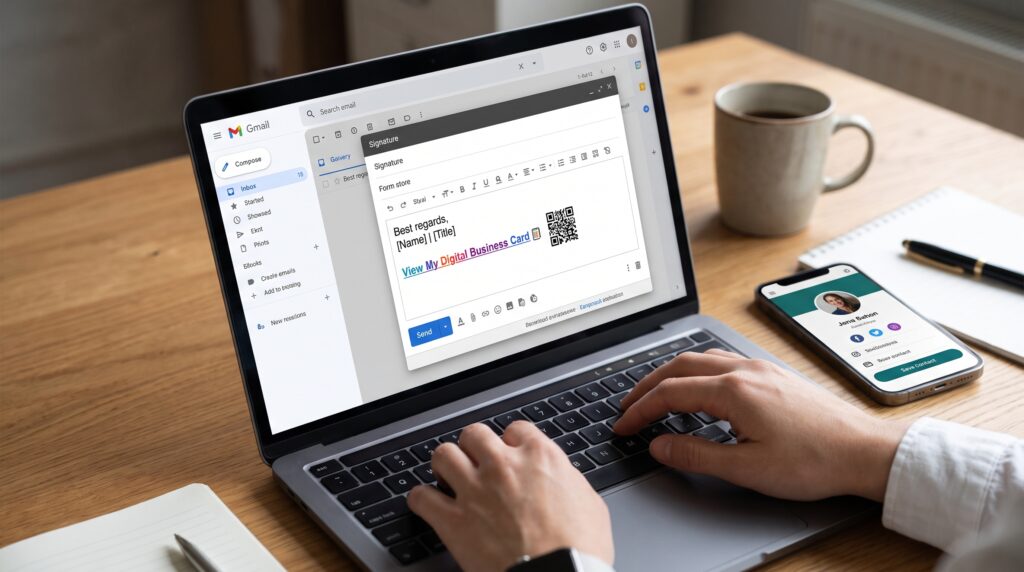
Add the URL to your email signature, LinkedIn profile, social media bio, proposals, invoices, presentation decks, and meeting backgrounds where appropriate. A digital card becomes valuable when it is part of your regular workflow rather than a link you remember only at events.
How to get more results from your card
Match the message to the context
You can keep one profile while changing the way you introduce it. At a networking event, say, “Scan to save my contact.” After a sales call, say, “Here is the link to the case studies and booking calendar.” The destination can stay the same while the spoken context changes.
Use a descriptive short URL
A URL that includes your name or brand is easier to remember than a random string. Keep it simple, readable, and consistent with your public identity.
Review analytics on a schedule
Check your main metrics monthly or after an event. Look for links that receive attention and actions that do not. Remove outdated destinations and move the most useful action higher on the page.
Protect trust and privacy
Publish a privacy policy where required. Explain lead collection clearly. Do not add someone to a marketing list merely because they saved your contact. Keep forms short, secure, and relevant to the stated purpose.
Keep the page current
Set a calendar reminder to review your card every quarter. Check your job title, links, images, social profiles, booking availability, featured work, and legal information. The benefit of a digital card depends on it remaining accurate.
Frequently asked questions
What is a digital business card?
A digital business card is a mobile-friendly online profile that presents your professional identity, contact details, links, and calls to action. It can be shared through a URL, QR code, NFC tap, email signature, or message.
Are digital business cards better than paper business cards?
They are more flexible for many modern networking situations because they can be updated, shared remotely, connected to clickable links, and measured with analytics. Paper cards can still be useful in settings where a physical takeaway is expected. The best choice depends on your audience and workflow.
How do I create a free digital business card?
Choose a platform that offers a free plan, add your identity and contact details, select a mobile-friendly design, add your most important links, test the profile, and share the URL or QR code. Bambl offers a free starting plan according to its current public pricing page; verify the latest limits before publishing a comparison or purchase recommendation.
Can I use a digital business card without an app?
Yes. A web-based card can open in a modern mobile browser. Bambl states that recipients can view its cards without installing an app. The exact contact-saving experience can vary by device and browser, so test it on the phones used by your audience.
How does a QR code business card work?
The QR code sends a phone camera to your online card. The visitor can then save your contact, open your website, send a message, view your portfolio, or take another action. A dynamic QR code lets you update the destination without printing a new code.
Can a digital business card replace a link-in-bio tool?
It can, if the platform supports both professional contact sharing and the content links you need. A digital card prioritizes identity and contact saving, while a link-in-bio page prioritizes multiple destinations. A combined profile can support both goals.
What should I put on my digital business card?
Include your name, role, photograph or logo, short value proposition, contact-saving action, email or phone, website, one primary call to action, and a small number of relevant proof or destination links. Avoid overwhelming visitors with every platform you use.
Can businesses manage digital cards for a team?
Many business-card platforms offer team administration, templates, branded profiles, and contact or lead management. Before choosing one, verify the number of seats, permissions, exports, integrations, security documentation, and support included in the plan.
Are digital business cards environmentally friendly?
They can reduce the need for printed cards and reprints because the same online profile can be shared repeatedly and updated digitally. Use precise language rather than making broad environmental claims. Digital services also have an infrastructure footprint, so the most defensible benefit is avoiding unnecessary physical printing.
Will a digital business card help me get more leads?
It can reduce friction and make your next step clearer, but no card guarantees leads. Results depend on your offer, audience, follow-up, page clarity, trust signals, and the quality of the conversation that leads someone to the profile. Use analytics as feedback, not as a promise of performance.
In 2025, your professional identity needs to work across physical meetings, social networks, email, messaging apps, and remote calls. A digital business card gives that identity one reliable home. It can be updated as your career changes, shared in seconds, connected to your most important links, and measured with useful engagement signals.
The strongest profile is not necessarily the most decorative one. It is the one that answers three questions quickly: who are you, what do you do, and what should the visitor do next?
Bambl brings those answers together with a digital business card and smart link-in-bio experience. If you want to replace scattered links and outdated paper cards with one shareable professional profile, start building your Bambl card.