

Blog
How to Create a Link in Bio That Converts Followers into Customers

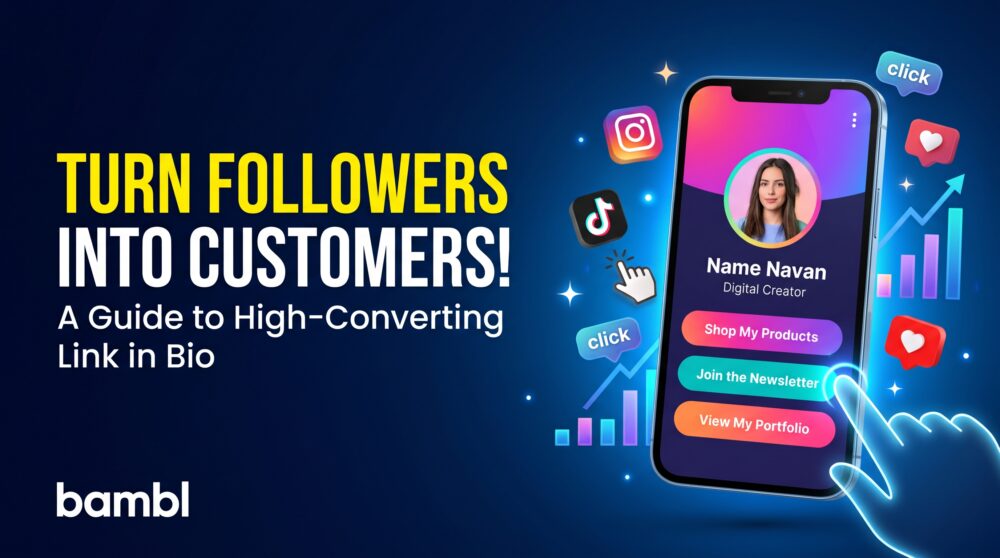
A link in bio that converts is one of the most useful tools for creators, freelancers, small businesses, and personal brands. It gives your audience one simple page where they can find your website, products, services, social profiles, portfolio, booking link, and other important destinations.
However, simply adding several links to a page does not guarantee clicks or customers. A high-converting link in bio profile needs a clear message, useful content, a logical order, and one obvious next step. It should help visitors understand who you are, what you offer, and why they should continue.
In this guide, you will learn how to create a link in bio that is easy to use, supports your brand, and helps turn social media visitors into subscribers, leads, customers, or professional connections.
What is a link in bio?
A link in bio is a shareable webpage connected to the bio section of a social media profile. Instead of choosing only one destination, you can use the page to organize several important links in one place.
A creator may use a link in bio to share videos, podcasts, affiliate links, digital products, a newsletter, and brand collaboration information. A freelancer may use it for a portfolio, services, testimonials, and booking calendar. A small business may include its website, online store, menu, location, contact form, and social profiles.
The best link in bio that converts is not a random list of destinations. It is a short customer journey that guides visitors toward the action that matters most.
Why your link in bio matters
Social media profiles often have limited space for links. Your audience may discover you on Instagram, TikTok, YouTube, LinkedIn, or another platform, but they may not know where to go next. A link in bio page gives them a central destination that you control.
It also allows you to connect content discovery with conversion. Someone who watches a video can visit your product page. Someone who sees your work can book a consultation. Someone who enjoys your content can join your newsletter or community.
Because the page can be updated, you can promote new content, limited offers, products, events, and campaigns without changing the link in your social media profile.
How to Create a Link in Bio That Converts
1. Start with one clear goal
Before adding links, decide what you want most visitors to do. Your goal could be to sell a product, book calls, collect email subscribers, generate inquiries, promote new content, or grow a community.
When every link has equal priority, the visitor may not know where to start. Choose one primary call to action and place it near the top of the page. Supporting links can come after it.
Examples of clear calls to action include:
- Shop my digital products
- Book a consultation
- Join the newsletter
- Watch my latest video
- View my portfolio
- Request a quote
- Work with me
2. Explain who you are
Visitors should understand your identity quickly. Add your name or brand name, profile image or logo, role, and a short description. Your introduction should explain what you do and who you help.
For example, “I help independent designers find better freelance clients through practical marketing systems” is more useful than “Entrepreneur and creator.” Specific language gives visitors a reason to explore your links.
3. Put your most important link first
The first button usually receives significant attention. Use it for the action that supports your current goal. If you are launching a product, feature the product. If you are looking for clients, feature your booking or inquiry link. If you are growing an audience, feature your newsletter or community.
You can change the order as your priorities change. A campaign link may be first this week, while your portfolio or online store may be more important next month.
Button text should tell visitors what they will find after clicking. “My links” and “Click here” are vague. “Download the free proposal template” or “View my latest case study” gives the visitor useful information before the click.
Keep labels short enough to read on a phone. Use consistent wording and avoid making every button sound urgent.
5. Add proof and context
People are more likely to take action when they understand the value of your offer. Add a short result, testimonial, client list, project description, or explanation near the relevant link when appropriate.
A consultant can connect a case study to a booking button. A creator can place a product link beside a short description. A small business can feature customer reviews or a popular service.
What should you include on a link in bio page?
The right content depends on your audience and goal. Most professional profiles benefit from a focused selection of the following elements:
- Name, role, or business identity
- Profile image or logo
- Short value proposition
- Primary call to action
- Website or portfolio
- Social media profiles
- Featured content or latest work
- Products, services, or booking link
- Email signup or community link
- Contact or inquiry form
You do not need to include every link you own. Remove destinations that are outdated, duplicated, or irrelevant to the people visiting your profile.
Link in bio ideas for different users
For content creators
Creators can feature their latest video, podcast, newsletter, digital product, media kit, and brand partnership information. Put your current campaign or newest content near the top, then organize evergreen destinations underneath.
For freelancers
Freelancers can use a link in bio page to present services, portfolio projects, testimonials, pricing information, and a booking calendar. Make it easy for potential clients to understand your specialty and request the next step.
For coaches and consultants
Coaches and consultants can include a free resource, consultation booking link, client results, services, and email signup. A short explanation of who the service is for can help visitors choose the right link.
For small businesses
Small businesses can share their website, online store, location, opening hours, menu, appointment page, customer reviews, and contact options. The most important local action should be easy to find without scrolling through unrelated links.
For artists and designers
Artists and designers can feature a portfolio, commissions page, shop, exhibition information, social channels, and contact form. Use strong visual content, but keep the page fast and easy to navigate.
How to make your link in bio page look professional
Use colors, fonts, and imagery that match your brand. Make sure the text has enough contrast and that buttons are easy to tap on a small screen. Avoid using too many visual styles at once.
Your profile image or logo should be recognizable. Your introduction should be short. Your buttons should have enough space between them. Test the page on different phones and with mobile data, not only on your desktop computer.
A professional page should also load quickly. Compress large images and remove unnecessary embeds if they slow down the experience. A visitor may leave before seeing your main offer if the page takes too long to load.
How to use analytics to improve your link in bio
Analytics can help you understand what visitors do after opening your profile. Look at profile views, link clicks, contact form submissions, product visits, and other available engagement signals.
If a link receives many clicks, consider making its value clearer or placing it higher. If your profile receives visits but very few clicks, review your introduction, button labels, and primary call to action. If visitors click but do not complete an inquiry or purchase, check the destination page and mobile experience.
Change one important element at a time when possible. This makes it easier to understand which improvement affected the result.
How Bambl helps you build a better link in bio
Bambl combines a smart link-in-bio profile with a digital business card. This lets you present your social links, portfolio, videos, products, booking page, contact details, and other important destinations in one shareable profile.
Unlike a basic list of links, a Bambl profile can also support professional networking. Visitors can save your contact, open your website, view your content, or use a lead form from the same mobile-friendly page. Depending on your plan, you can also review engagement, organize leads, and use additional profile features.
If you are building a professional identity beyond social media, a digital business card can help you connect your link in bio profile with in-person networking. Learn more about how to create a digital business card or see our guide to a digital business card for small business.
Common link in bio mistakes
- Adding too many links without a clear order
- Using a vague profile description
- Leaving old campaigns and broken links active
- Making the primary action difficult to find
- Using tiny text or buttons that are hard to tap
- Ignoring mobile loading speed
- Failing to review analytics and improve the page
Frequently asked questions
What is the best link in bio tool?
The best tool depends on your goals. Compare customization, analytics, product links, contact saving, lead capture, media support, team features, and pricing. Choose a platform that supports both your current needs and your future content or business plans.
Can a link in bio help me get customers?
Yes, when the page has a clear offer and a simple next step. Use a strong call to action, relevant links, proof, and a mobile-friendly design. A link in bio does not guarantee customers, but it can make it easier for interested visitors to contact or buy from you.
How many links should I add?
There is no universal number, but every link should support the visitor’s journey. Start with your primary action and add the most useful supporting destinations. Remove links that create confusion or are rarely relevant.
Final thoughts
A high-converting link in bio page should do more than collect URLs. It should introduce your brand, explain your value, and guide visitors toward one useful next step.
Start with a clear goal, use focused button labels, update your profile regularly, and review your engagement data. With Bambl, you can combine a link in bio profile, digital business card, contact saving, QR sharing, lead capture, and professional links in one place.
